

Direct Mode output mapping
Direct Mode output mapping lets a transformation, app or workspace write straight into Storage tables on Snowflake and BigQuery, with no copy or import step: when to use it, how it works and its limits.
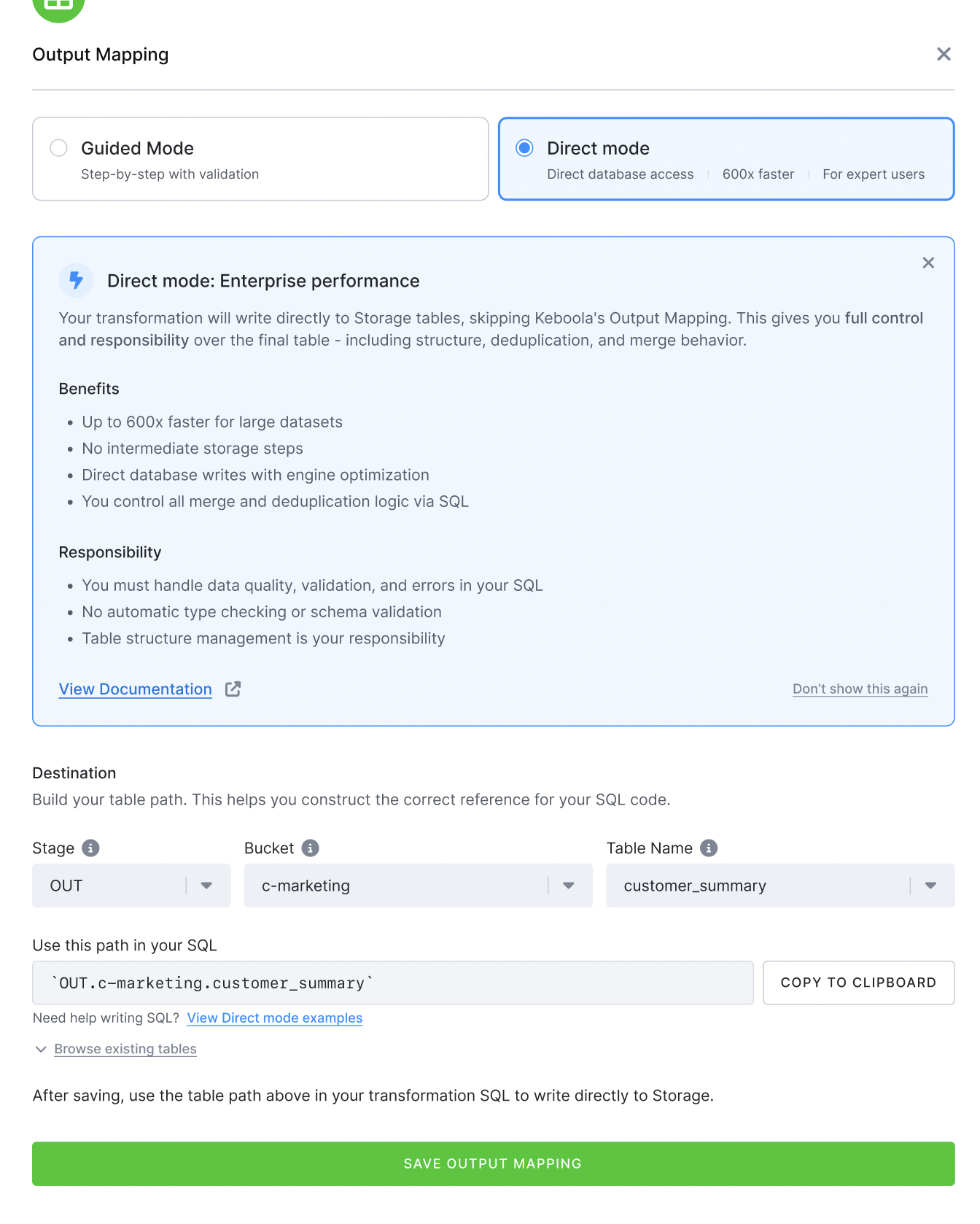
Direct Mode output mapping lets a transformation, app or workspace write straight into Storage tables, without the copy-and-import step of standard output mapping. This page explains when it pays off and what you take over from Keboola; to turn it on, see Set up Direct Mode output mapping.
What it is
Section titled “What it is”Direct Mode Output Mapping lets your transformation write directly to Storage tables instead of going through
the standard copy-based output mapping process. With Direct Mode output mapping enabled, the transformation
user receives write privileges on specific Storage tables. Any INSERT, UPDATE, DELETE,
or TRUNCATE you run in your transformation SQL can be applied immediately to the destination table — there is no
separate import step.
This feature is available as a private beta and must be enabled by Keboola Support.
When to use it
Section titled “When to use it”Direct Mode output mapping is designed for advanced users with high data maturity who are comfortable writing production-quality SQL and managing data consistency themselves. Typical use cases include:
- Large incremental loads — Standard output mapping on a 150 GB table with a single-row append can take over an hour due to deduplication and copy overhead. Direct Mode output mapping reduces this to seconds.
- Minimal overhead workflows — When the standard mapping pipeline (copy to staging, deduplicate, import) creates unnecessary overhead for your workload.
Performance comparison (incremental load — 1 row added to a 150 GB table):
| Method | Approximate Time |
|---|---|
| Standard output mapping (Upsert) | ~160 min |
| Simplified output mapping (Insert) | ~55 min |
| Direct Mode output mapping | ~11 seconds |
Supported backends
Section titled “Supported backends”Direct Mode output mapping is available for any component that uses a Snowflake or BigQuery workspace, including transformations, apps, and workspaces — both standalone Snowflake/BigQuery workspaces and workspaces opened in the SQL Editor.
How it works
Section titled “How it works”When a component with Direct Mode output mapping runs:
- The workspace role/service account receives write privileges on the specified Storage tables.
- Your transformation SQL operates directly on Storage tables using their read-only storage paths
(e.g.,
"KBC_USE4_33"."in.c-raw-data"."my-table"). - After the transformation finishes, Keboola runs a refresh job that updates table metadata, row counts, and statistics. No data is copied — the changes are already in place.
In a workspace, there is no job to wait for: the write privileges are granted as soon as you save the Direct Mode output mapping, so you can write to the Storage table from your very next query. Removing the mapping revokes the privileges again.
The workspace receives these privileges on each granted table:
SELECT,INSERT,UPDATE,DELETE,TRUNCATE(Snowflake)bigquery.tables.getData,bigquery.tables.updateData,bigquery.tables.get(BigQuery)
The workspace cannot:
- Create new tables in the bucket
- Drop or alter existing tables
- Write to tables not listed in the output mapping
What Keboola no longer does for you
Section titled “What Keboola no longer does for you”Do not rely on automatic deduplication. Unlike standard output mapping, Keboola does not
deduplicate data based on primary keys. Primary keys on Snowflake and BigQuery are not enforced by the
backend, so a primary key defined in Storage will not prevent duplicates on direct writes.
Running a plain INSERT repeatedly will create duplicate rows:
-- BAD: This will create duplicates on every runINSERT INTO "in.c-my-bucket"."customers" SELECT * FROM "my_staging_table";Do not assume type checking. Keboola does not verify that column data types in your SQL match the Storage table metadata. Mismatched types may cause errors or silent data inconsistencies.
Do not use DDL statements. You cannot CREATE TABLE, DROP TABLE, ALTER TABLE, or
SWAP TABLE on Storage tables through Direct Mode output mapping. Schema changes must be done through
Storage.
Direct Mode output mapping in development branches requires the Branched storage feature. Without the Branched storage Development branches share the same Snowflake schema as production. Writing via Direct Mode output mapping in a development branch will modify production data.
The patterns that handle this safely are in Set up Direct Mode output mapping.
Limitations
Section titled “Limitations”- No automatic deduplicationPrimary keys on Snowflake and BigQuery are not enforced by the backend, so they will not prevent duplicates on direct writes. You must handle deduplication in your SQL.
- No type checking or castingColumn types are not validated against Storage metadata.
- No schema changesYou cannot alter table structure (add/remove/rename columns). Use Storage for schema modifications.
- No automatic rollbackIf a transformation fails mid-execution, the table may be left in a partially written state. Wrap related operations in transactions to mitigate this.
- Limited auditabilityOnly an import event is created on success, compared to the more detailed event trail of standard output mapping.
- Development branch isolation requires Branched storage featureWithout the feature Dev branch writes affect production data on Snowflake. Use caution when testing.
- Read-only, external, and linked buckets are not supportedDirect Mode output mapping cannot write to buckets that are read-only, external schemas, or linked from another project.
Was this page helpful?
Thank you for helping improve Keboola's documentation!