

MixPanel
Export raw event data from Mixpanel into Storage as a name-value pair table or as raw JSON, for a date range or a rolling window of full days.
Mixpanel analyzes user behavior across websites and apps. The MixPanel data source connector uses the raw data export API to download event data into Storage. The API returns one JSON object per event, and events do not share the same keys, so by default the connector unpivots them into a name-value pair table. It can also store the raw JSON for you to parse in a transformation.
Prerequisites
Section titled “Prerequisites”- The API secret of the Mixpanel project. See Project token, API key and API secret in the Mixpanel help.
- The project’s timezone, see Project timezone. A wrong timezone leads to incomplete data when you export by Throwback.
Configuration
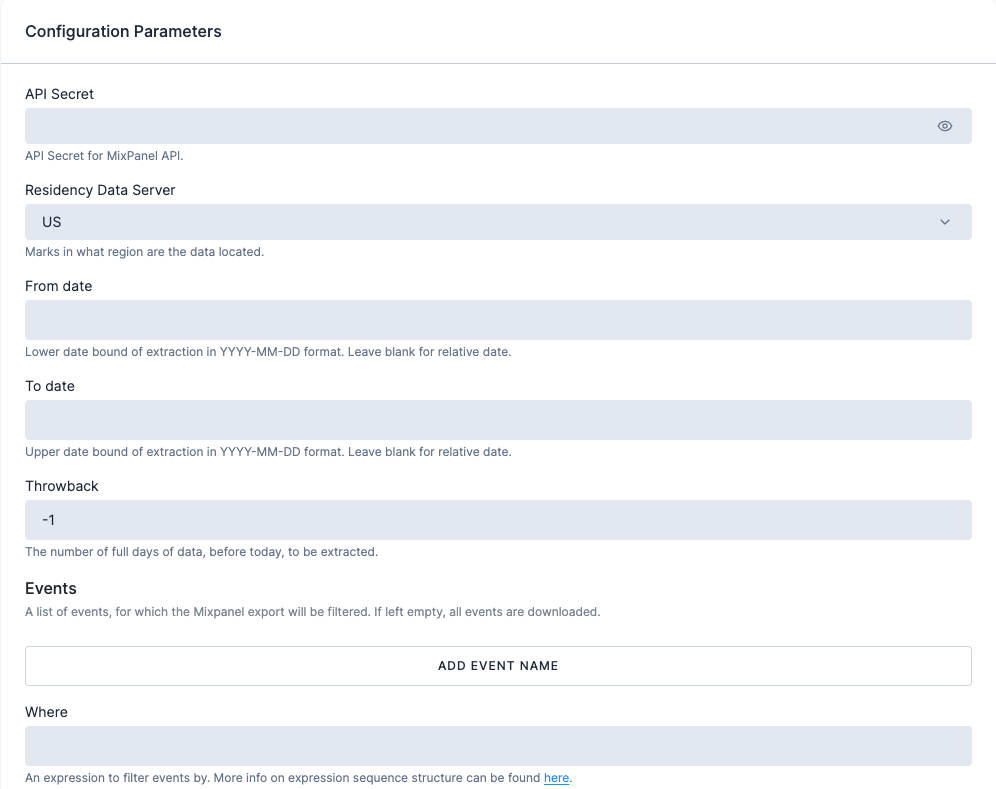
Section titled “Configuration”Create a new configuration of the MixPanel data source connector. The connector has no rows; one configuration is one export.
| Field | Description |
|---|---|
| API secret | API secret of the project to export. Stored encrypted. |
| Residency data server | Region where the project’s data is stored: US (default) or EU. |
| From date and To date | Date bounds of the export in YYYY-MM-DD format. Leave both empty to export by Throwback instead. |
| Throwback | Number of full days before today to export: -1 exports yesterday, -2 the two days before today, and so on. Default -1. Ignored when both From date and To date are set. |
| Project timezone | Timezone of the Mixpanel project. Throwback needs it to pick the right days. Default UTC. |
| Events | Optional list of events to export. Empty exports all events. |
| Where | Optional segmentation expression that filters the events. |
| Load type | Full load (default) overwrites the table on every run. Incremental load creates the table with primary keys and upserts new data. |
| Raw data export | Off: the JSON is parsed into a name-value pair table. On: the raw JSON response is stored in the table for you to parse later, for example in a Snowflake or Python transformation. |
Output
Section titled “Output”With raw data export off, the connector returns one table with three columns:
| id | parameter | value |
|---|---|---|
149883e1c6000df0f5dc4d521725679b | event | View Payslip Page |
149883e1c6000df0f5dc4d521725679b | properties__time | 1561420800 |
149883e1c6000df0f5dc4d521725679b | properties__distinct_id | 0051o000009eqc1AAA |
149883e1c6000df0f5dc4d521725679b | properties__$city | Evesham |
id is the MD5 hash of the unprocessed row, so it is unique per exported event and lets you pivot the parameters of one event back together.
With raw data export on, the table has two columns, id and raw, where raw holds the unprocessed JSON.
Limits
Section titled “Limits”Large exports can run for hours. For a full history, split the export into several runs with From date and To date. In a nightly flow, use Throwback instead, so each run picks up the latest full days.
Was this page helpful?
Thank you for helping improve Keboola's documentation!